With the global launch of AION 2, thousands of players from different regions will connect to the servers to participate in PvP, Dungeons, Raids, co-op content, and other MMORPG activities.
Depending on your location, Internet provider, and the route your connection takes to reach the AION 2 servers, you may experience issues such as high latency, jitter, packet loss, rubberbanding, or disconnections.
One of the tools you can use to try to improve connection stability is ExitLag, which aims to optimize the route between your PC and the game servers.
In this guide, we’ll explain how to use ExitLag with AION 2 Global, what features it offers, and how to configure it before you start playing.
AION 2 features PvP, co-op content, and different online activities where a stable connection can have an important impact on your overall gameplay experience.
ExitLag offers technologies such as AI Route Optimizer, Multipath Connection, and Traffic Shaper to help optimize the route used between the player and the game servers.
If you’re planning to play AION 2 Global and want to try ExitLag, you can use our link and the discount codes available to our community.
GET UP TO 50% OFF WITH EXITLAG
🔥 Special Offer
Annual plans: up to 50% OFF
✅ Pay for 6 months and get 12 months, where applicable.
✅ Valid for annual SOLO, DUO and SQUAD plans.
✅ Exclusive to new subscriptions.
✅ Not valid for automatic renewals or plan upgrades.
Discount Coupon: AION or THRONE
What is ExitLag?
ExitLag is a connection optimization tool designed primarily for online gaming.
Instead of directly modifying the game servers or increasing your Internet connection speed, ExitLag analyzes different available routes between your computer and the game server to try to find a more stable connection.
This can be especially useful when the route normally used by your Internet provider experiences congestion, packet loss, or frequent changes during your connection.
How can ExitLag help with AION 2?
AION 2 includes different types of content where having a stable connection can be especially important.
These include:
- PvP.
- Dungeons.
- Raids.
- Co-op content.
- Group activities.
- Combat where reaction time is important.
Issues such as jitter, packet loss, or an unstable route can cause delayed actions, inconsistent movement, or even disconnections.
ExitLag uses different technologies designed to help reduce the impact of these types of connection problems.
AI Route Optimizer
One of ExitLag’s main features is its AI Route Optimizer.
This technology analyzes different available routes to supported servers and seeks to select a more stable option for your connection.
The route can also adapt dynamically depending on current network conditions.
This can be useful when the traditional route used by your Internet provider is not the most efficient path to the AION 2 servers.
Multipath Connection
ExitLag also uses a technology called Multipath Connection.
This feature can use multiple routes simultaneously to add resilience to the connection when changes or problems occur on one of the available routes.
Depending on your connection and availability, ExitLag can use up to 4 different routes.
The goal is to help maintain a more stable connection when one of the routes experiences congestion, jitter, or packet loss.
Traffic Shaper
Recent versions of ExitLag also include improvements to its Traffic Shaper system.
This feature helps prioritize traffic generated by the game over other applications that may be using bandwidth in the background.
For example, while playing AION 2, your Internet connection may also be used by:
- Discord.
- Web browsers.
- Windows updates.
- Steam or other launchers.
- Streaming applications.
- Background downloads.
Traffic Shaper helps manage this traffic in order to prioritize the connection being used by the game.
How to configure ExitLag for AION 2 Global
Configuring ExitLag for AION 2 is quite simple.
1. Download and install ExitLag
First, you need to download and install ExitLag on your PC.
You can access it through our link:
You can also use one of our codes:
Code: AION
Alternative code: THRONE
2. Log in to ExitLag
After installing the program, log in with your ExitLag account.
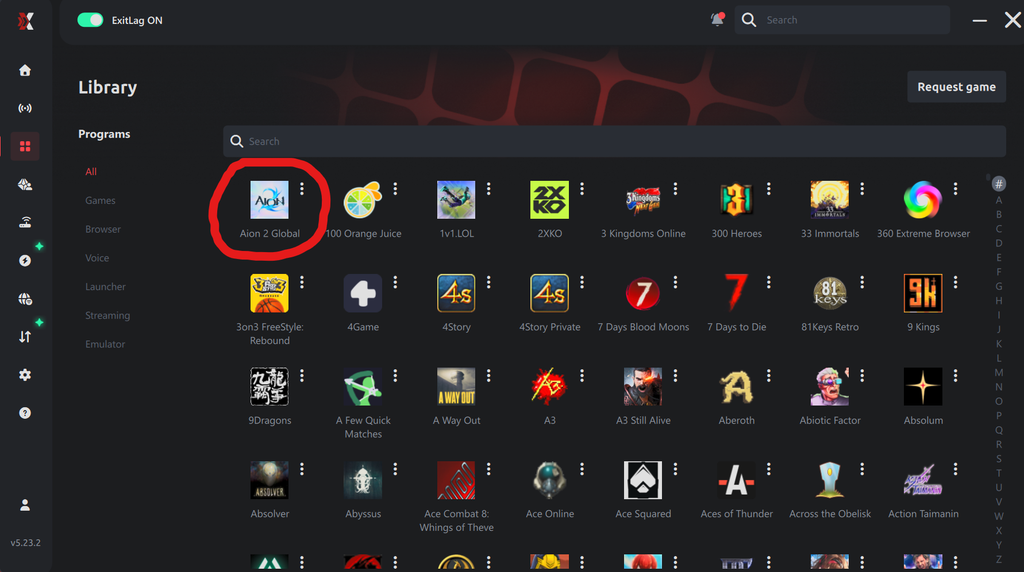
3. Search for AION 2
Inside ExitLag, use the game search tool to find AION 2.
Select the game and review the available server options.
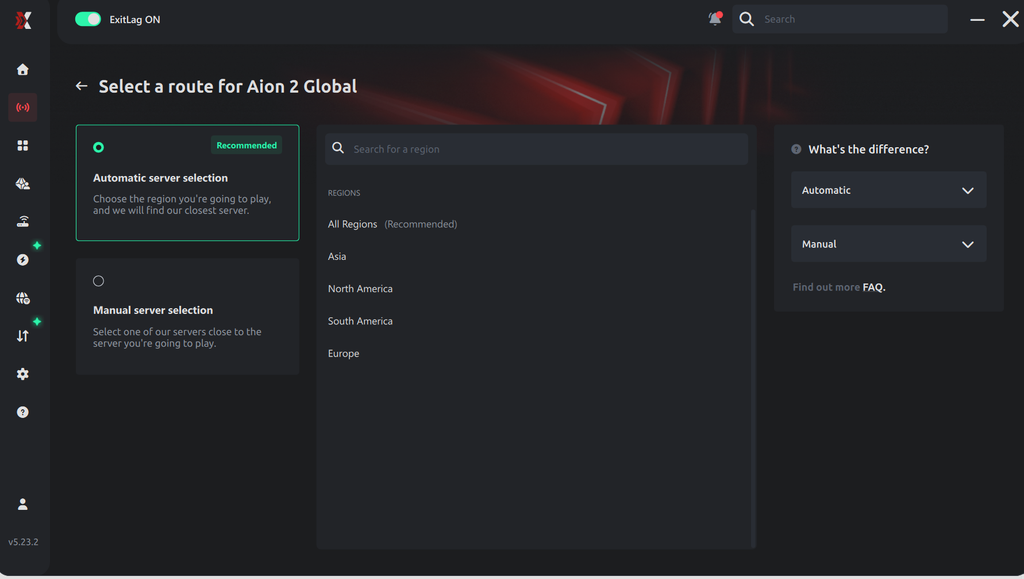
4. Select your region
Select the region corresponding to the server where you plan to play.
The best configuration may vary depending on your geographic location, Internet provider, and selected server.
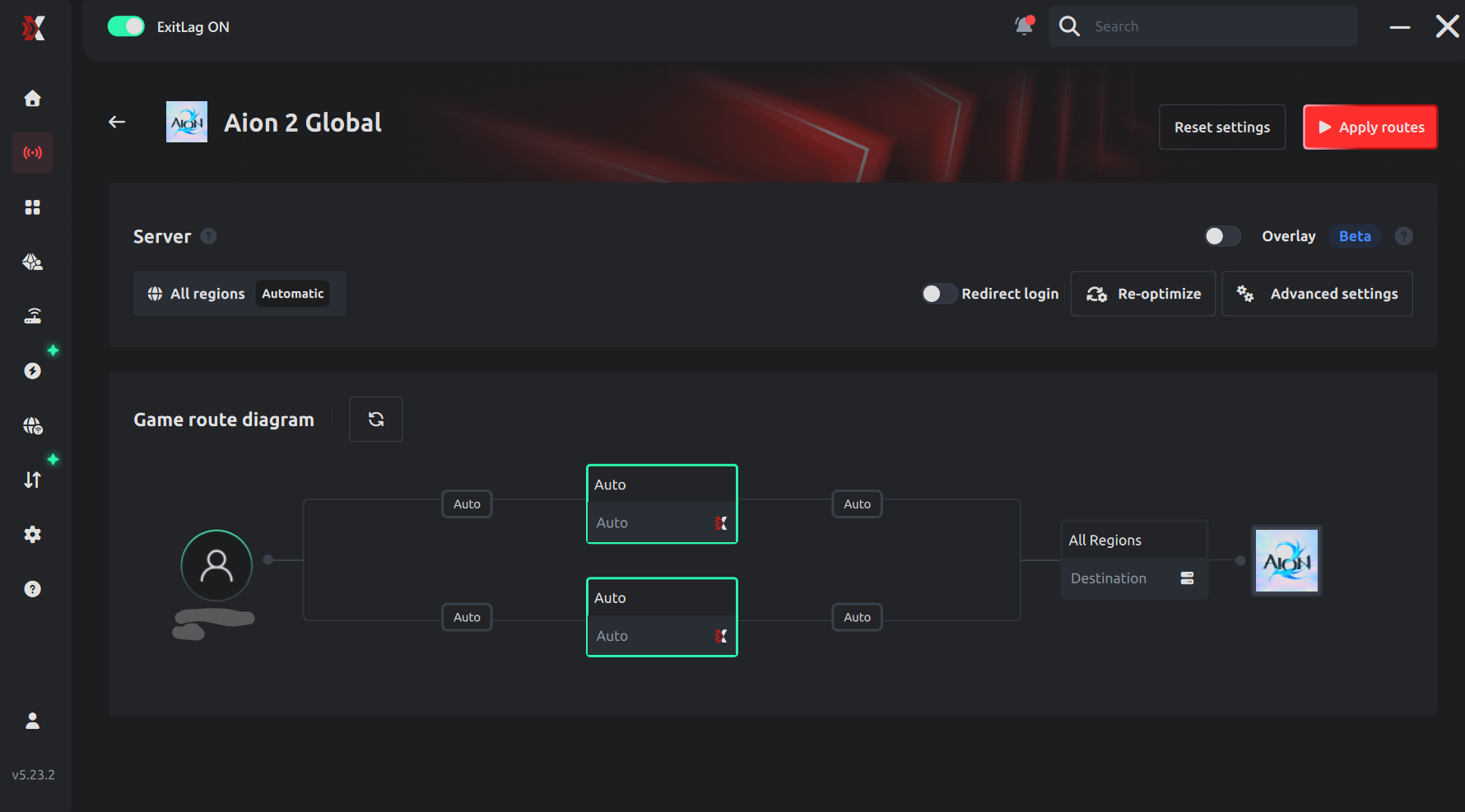
5. Apply the routes
Once you have selected the game and region, activate the optimization.
ExitLag will begin analyzing the available routes and apply the selected configuration.
6. Launch AION 2
After activating ExitLag, launch AION 2 normally through its launcher.
ExitLag will continue running in the background while you play.
ExitLag for PvP in AION 2
Your connection can be especially important during PvP.
In combat where every skill, movement, and reaction matters, network issues can cause delays between the action performed by the player and the response received from the server.
A more stable route can help provide a more consistent experience during these types of encounters.
ExitLag for Dungeons, Raids, and co-op content
Disconnections and network issues can also be especially frustrating during group content.
In Dungeons, Raids, and other co-op activities, a disconnection can affect not only the individual player but also the rest of the group.
That’s why maintaining a stable connection can be important during long gaming sessions.
Using ExitLag while streaming AION 2
Content creators may also have several applications using their Internet connection at the same time while playing.
For example:
- AION 2.
- OBS.
- Discord.
- Web browsers.
- Stream chat.
- Additional applications.
In these scenarios, tools such as Traffic Shaper can help manage network traffic and prioritize the game.
Special ExitLag offer for AION 2
During the AION 2 global launch campaign, ExitLag is offering a special promotion for new subscriptions.
Annual SOLO, DUO, and SQUAD plans can get up to 50% OFF.
- Up to 50% OFF selected annual plans.
- Available for SOLO, DUO and SQUAD plans.
- On eligible plans, you can pay for 6 months and receive 12 months.
- Available for new subscriptions.
You can access the promotion using our link:
GET UP TO 50% OFF WITH EXITLAG
Coupon: AION
You can also use THRONE.