
Why Do You Need OTP?
When playing AION 2 on PC, device registration through OTP (One-Time Password) is mandatory.
This protects your account and prevents unauthorized access.
Other Guide: How to Play AION 2 From Any Country: Account Creation, Download
AION 2 Community – Discord
🔐 Step 1 — Log Into Your Account
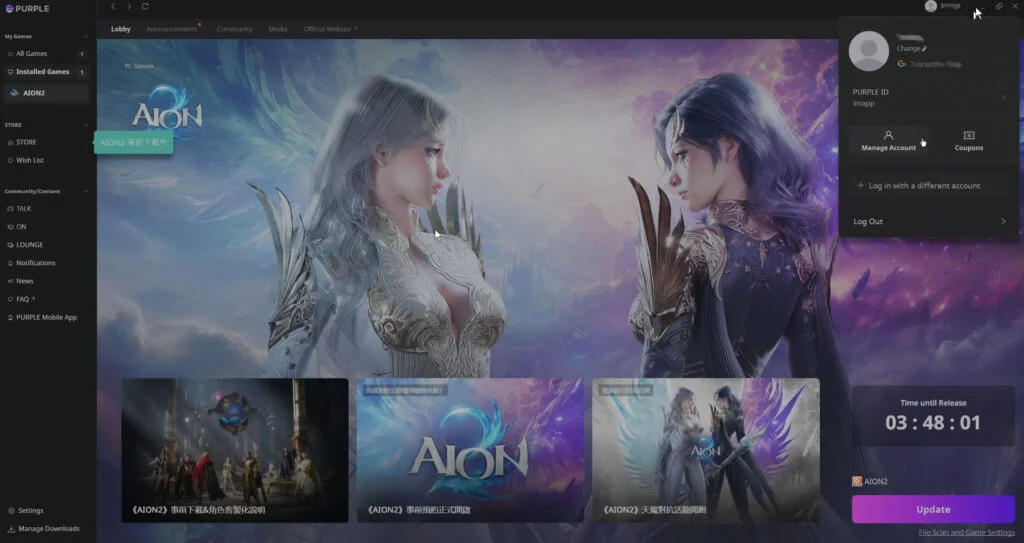
Option A (recommended):
- Open Purple.
- Click your profile avatar in the top right.
- Select “Manage Account”.
Option B (alternative):
Go directly to:
👉 https://id.plaync.com/index
Log in with your Taiwan (TW) account.
🔧 Step 2 — Check Your OTP Status
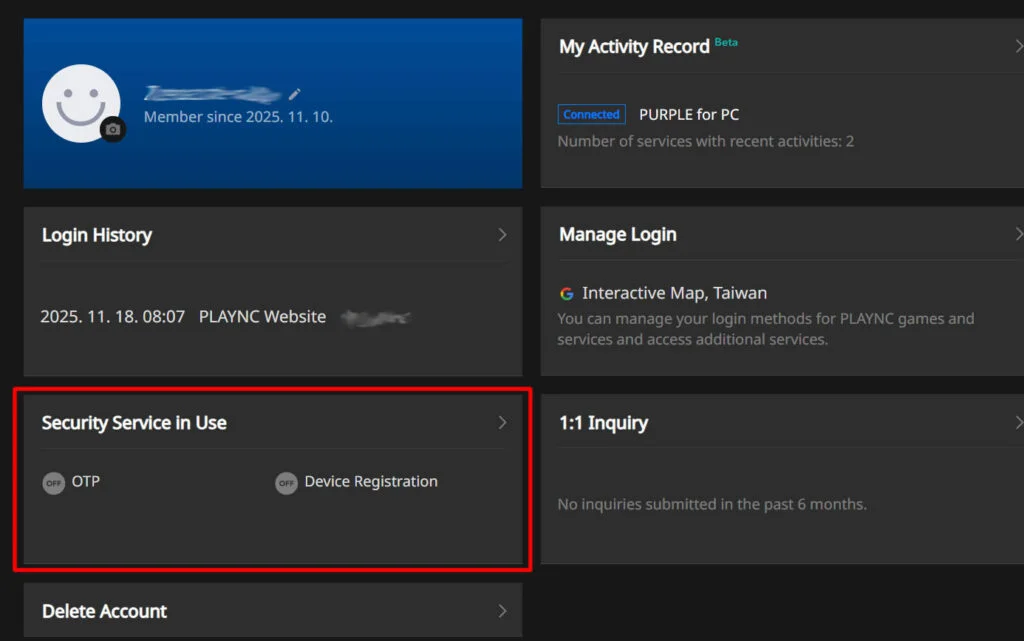
On your account page, you will see the OTP indicator:
- Active → shown in green
- Inactive → shown in gray (this is how it will appear before setup)
We need to activate it.
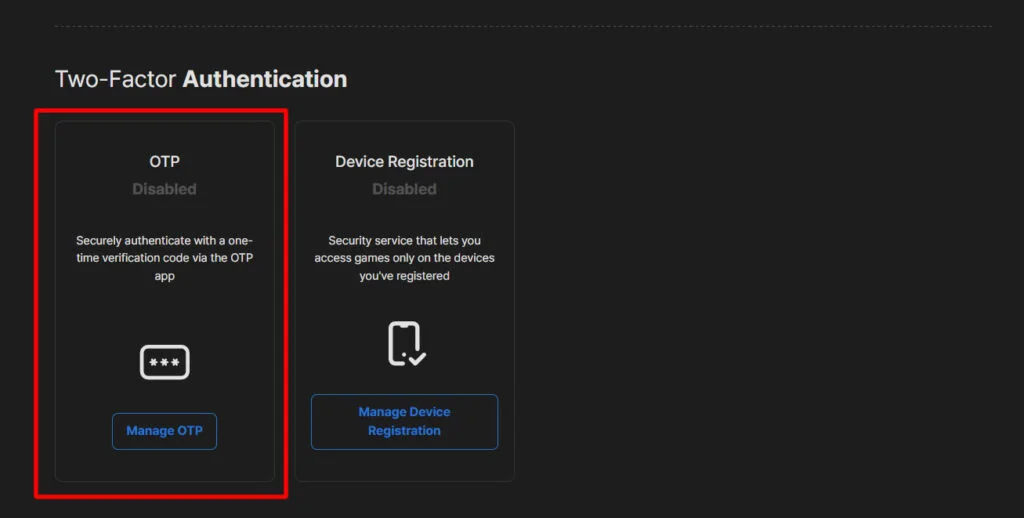
📱 Required Before You Begin
Install an authenticator app on your phone:
✔ Google Authenticator (recommended)
You may also use Microsoft Authenticator or any standard TOTP-compatible app.
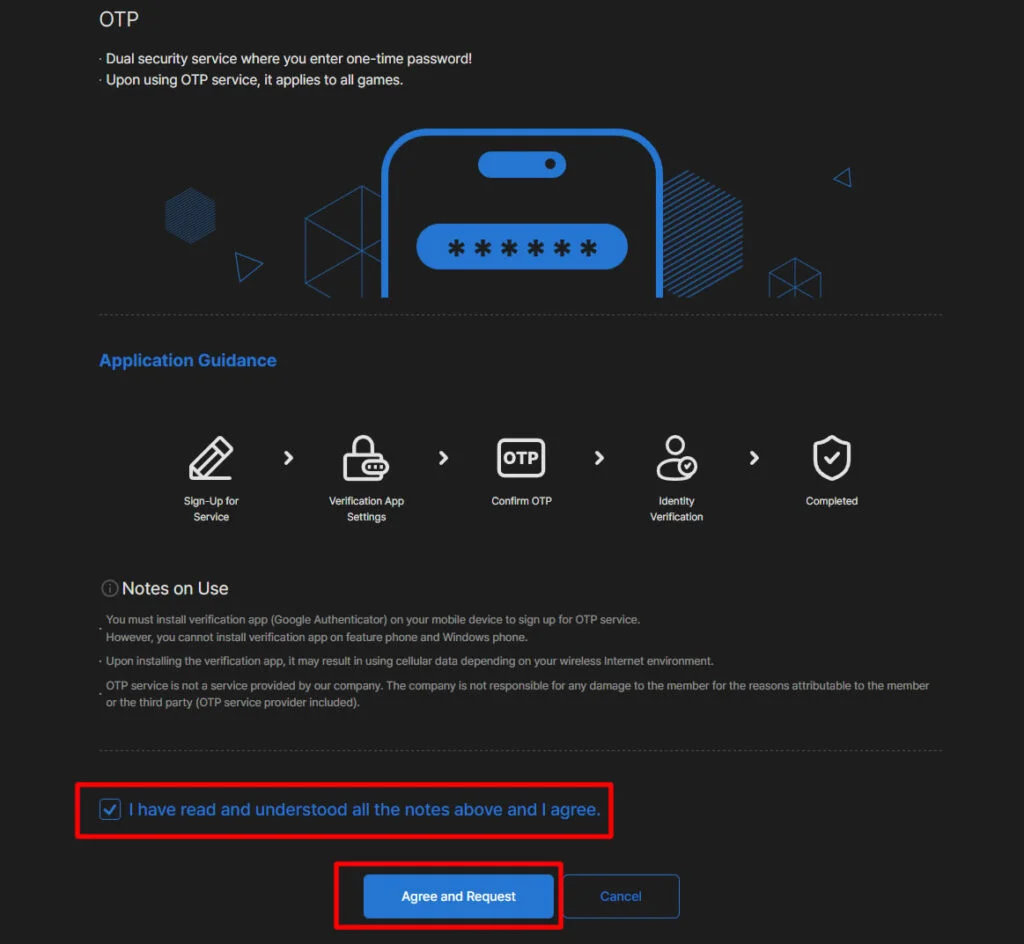
🛡️ Step 3 — Enable OTP
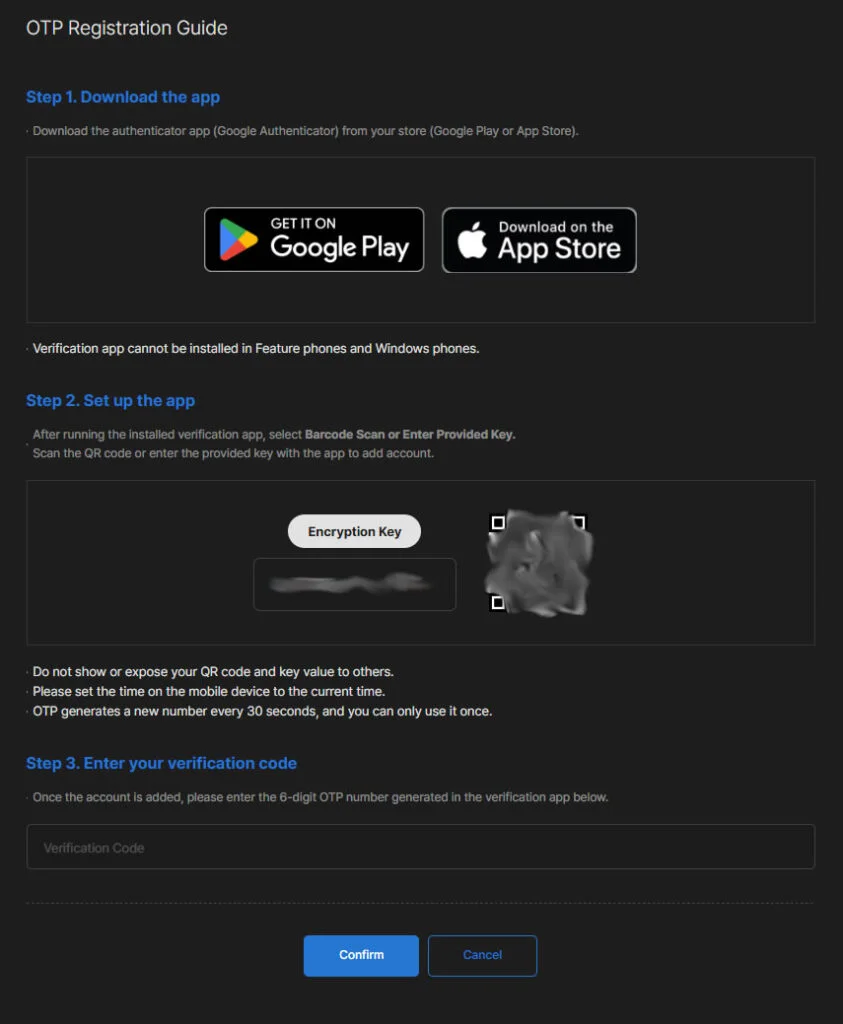
Continue to the next step.
On https://id.plaync.com/index, click OTP in the menu.
Open your authenticator app and press + to add a new account.
Scan the QR code visible on the OTP setup page.
Your authenticator will generate a new code every 30 seconds.
Enter the current code into the field on the website.
hhh
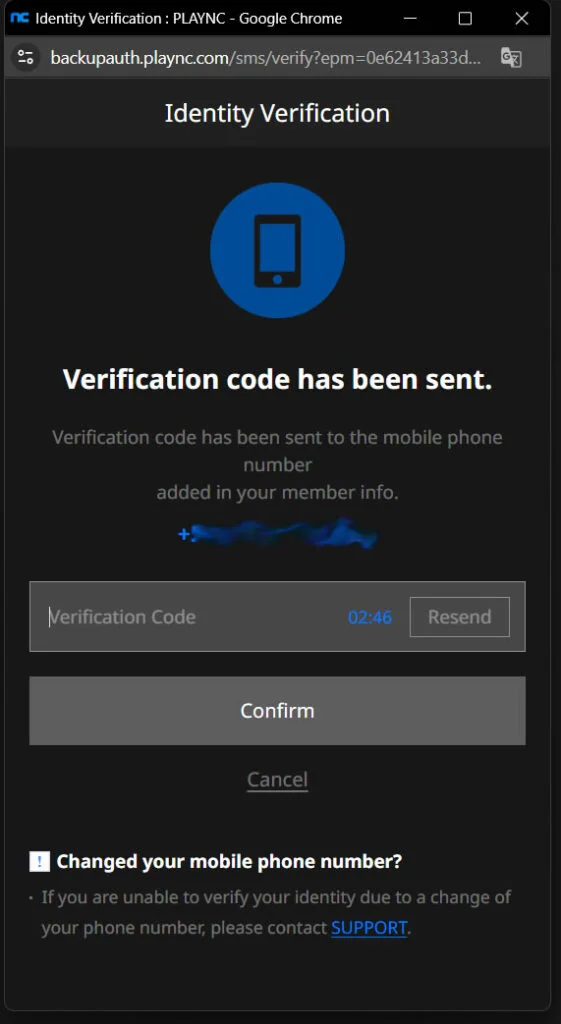
Step 4 — Phone Number Verification
Once the OTP code is accepted, a pop-up will appear asking for your phone number:
- Search for your country (typing the first letter helps).
- Enter your full phone number.
- Proceed.
- You will receive an SMS with a verification code.
- Enter that code on the website.
- If successful, you will see a confirmation message.
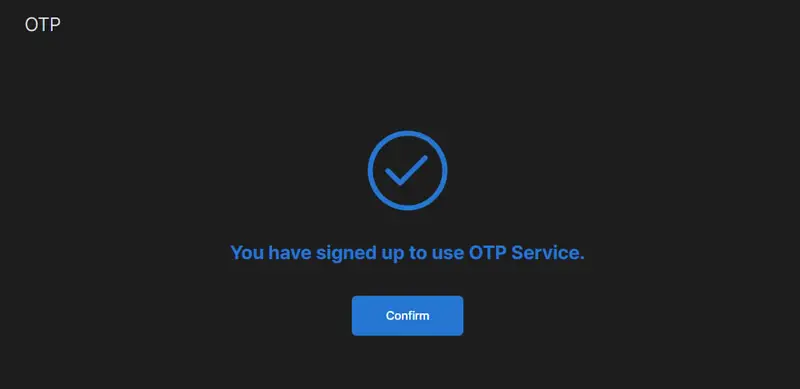
✅ Step 5 — Confirm OTP Activation
Return to https://id.plaync.com/index
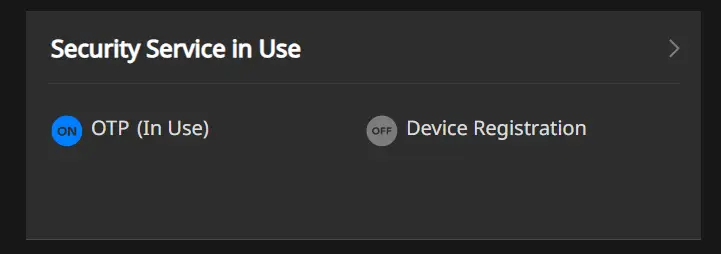
You should now see:
✔ OTP: Active
This means everything is correctly set up.
🎮 In-Game Device Protection
AION 2 also includes additional in-game protection.
You can configure this directly on the title screen, and most of it will complete automatically once OTP is active on your account.